PS4 Games Region Codes Explained
When you bought a physical copy of your most anticipated PS4 game and found out that the game does not support your preferred language nor will you get any DLCs on it when you’re back in your comfortable crib… this might save yourself the trip back to the game store.
PS4 Games Region Codes Explained: Avoid DLC & Language Lock Issues
Games are published worldwide based on regions/countries by publishers. Yes, the games are usually compatible with all PS4 from different regions/countries but if you’re worried about region locked DLCs, Updates and Patches or supported language, you will need to look out for a certain region indicator before your purchase.
Why Region Matters for PS4 Games
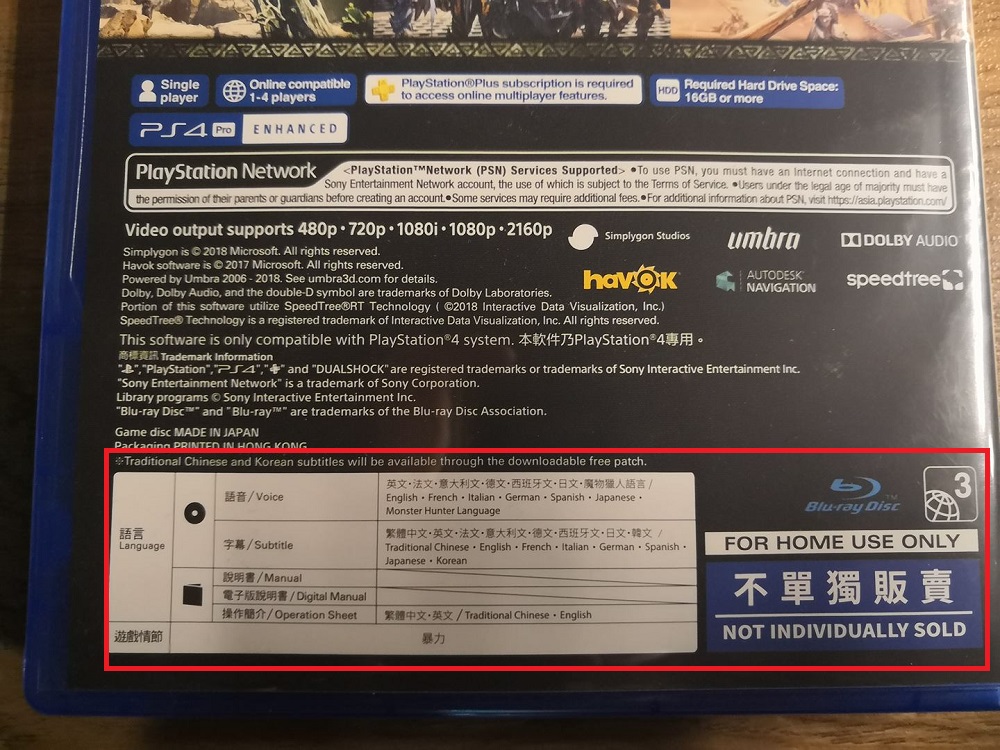
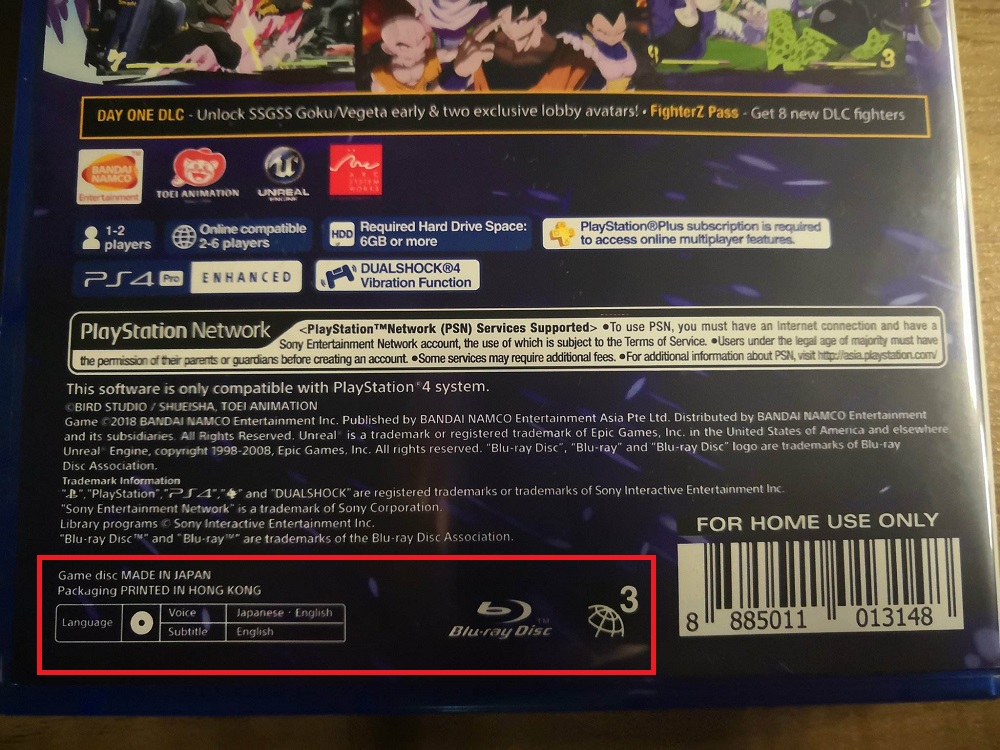
Certain games are released in different regions/countries due to language and censorship which may not be appropriate if released in that regions/countries. Thus, games are released in batches dependent on regions/countries. As seen in the pictures above, you might notice at the bottom back corner of your physical copy – a certain globe with a number on it. The number indicates which regions/countries the game is released.
PS4 Region Codes List
Related: Guide: PlayStation 5 Console Version Difference And How To Know It Is Brand New Unopened.
To check if the game you bought is released for your regions/countries, here’s a list of region codes below:
- R0 – ALL
- R1 – Bermuda, Canada, United States, and U.S. territories
- R2 – The Middle East, Western Europe, Central Europe, Egypt, French overseas territories, Greenland, Japan, Lesotho, South Africa, and Swaziland
- R3 – Southeast Asia, Hong Kong (China), Macau (China), South Korea, and Taiwan (China)
- R4 – Australasia, Central America, the Caribbean, Mexico, Oceania, South America
- R5 – The rest of Africa, the Former Soviet Union, the Indian subcontinent, Mongolia, North Korea
- R6 – China
Real Examples: Monster Hunter World Regions
Here’s a comparison between 3 different regions/countries released of MHW:
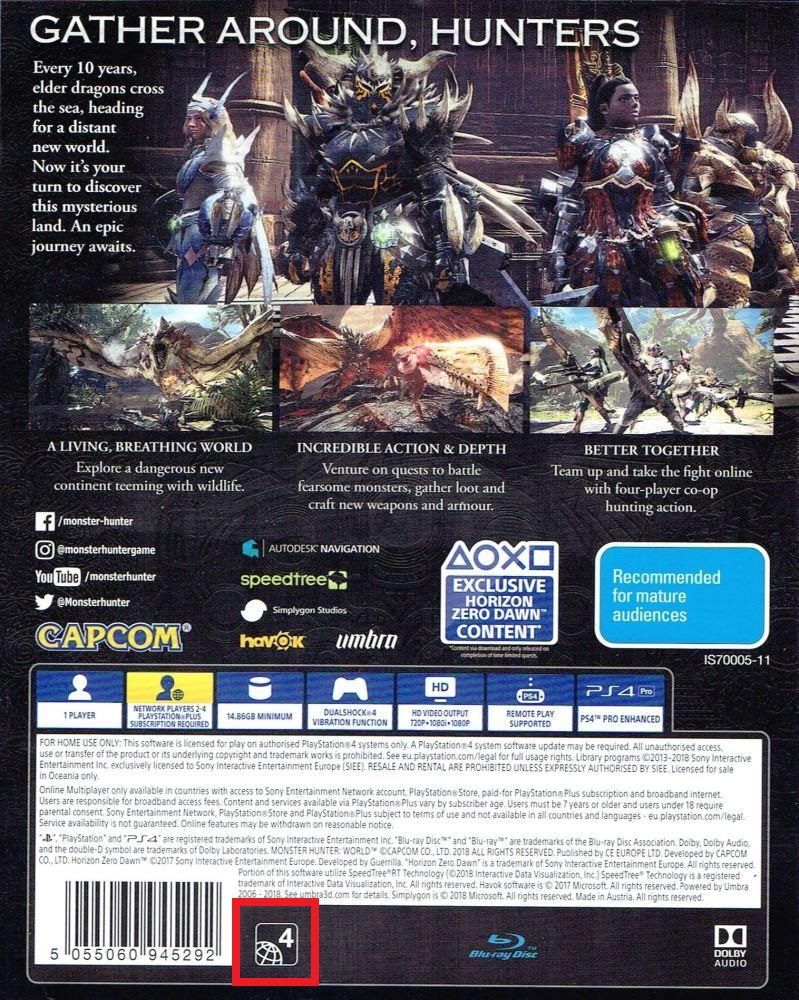
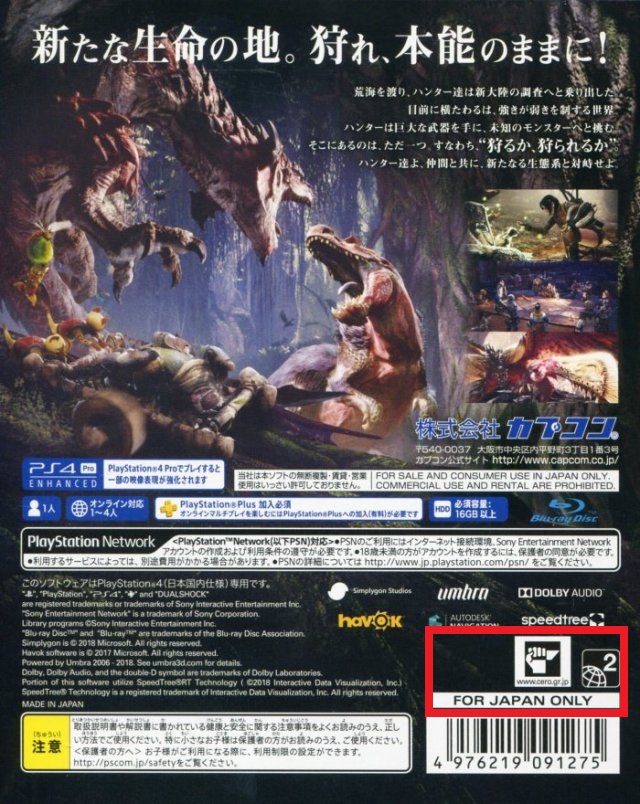
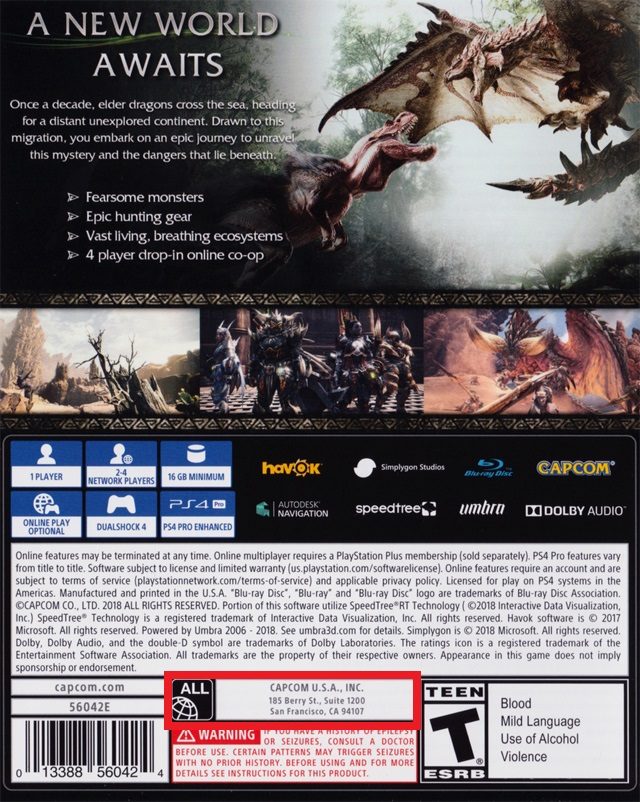
As seen in the pictures above, the games are from Regions 2, 4 and ALL. You will also be able to find the languages that are supported in the game at the back of your physical cover. That way you can make sure that the game you bought is tied to your region so that you can download any updates or patches that supports your game.
Important Note: PSN Codes, DLC & Patches
This is especially important for your PSN codes as well. Because PSN codes are locked to the regions/countries that it is bought from – it must match the country of the PSN account. This also applies to DLCs and it must match the Regions/Countries of the PSN account and the Regions/Countries the game was bought from.
Feel free to reach out if you have any other questions. Hope this helps!
Shop PS4 Games & Accessories at Gzmato
Fast shipping, 1-year warranty, official stock – get the right region copy today
New Year Offer: Use code GZMPS426 for 10% off!
Shop PS4 Games Now →Data Sources & Methodology (as of Jan 27, 2026):
- Gzmato original guide & images
- PlayStation official region information
- Gzmato PS4 game inventory data
When you buy a physical copy of your most anticipated PS4 game only to discover it doesn’t support your preferred language or offer DLCs when you get home, this guide can save you the trip back to the store.
PS4 Games Region Codes Explained: Avoid DLC & Language Lock Issues
Games are published worldwide based on regions/countries by publishers. While PS4 games are generally compatible across regions, DLCs, updates, patches, and supported languages can be region-locked. Always check the region indicator before buying.
Why Region Matters for PS4 Games
Certain games are released in different regions due to language and censorship rules. Publishers release games in batches depending on regions/countries. On the back cover of physical copies, look for a globe icon with a number – it indicates the release region.
PS4 Region Codes List
Here’s a list of region codes:
- R0 – ALL
- R1 – Bermuda, Canada, United States, and U.S. territories
- R2 – The Middle East, Western Europe, Central Europe, Egypt, French overseas territories, Greenland, Japan, Lesotho, South Africa, and Swaziland
- R3 – Southeast Asia, Hong Kong (China), Macau (China), South Korea, and Taiwan (China)
- R4 – Australasia, Central America, the Caribbean, Mexico, Oceania, South America
- R5 – The rest of Africa, the Former Soviet Union, the Indian subcontinent, Mongolia, North Korea
- R6 – China
Real Examples: Monster Hunter World Regions
Here’s a comparison of three different region releases of Monster Hunter World:
These games are from Regions 2, 4, and ALL. You can also find supported languages on the back cover to ensure compatibility with updates, patches, and your region.
Important Note: PSN Codes, DLC & Patches
PSN codes are locked to the region they are purchased from – they must match your PSN account region. The same applies to DLCs: they must match both the game’s region and your PSN account region. Always double-check before buying codes or DLCs.
Shop PS4 Games & Accessories at Gzmato
Fast shipping, 1-year warranty, official stock – get the right region copy today
New Year Offer: Use code GZMPS426 for 10% off!
Shop PS4 Games Now →Data Sources & Methodology (as of Jan 27, 2026):
- Gzmato original guide & images
- PlayStation official region information
- Gzmato PS4 game inventory data
When you bought a physical copy of your most anticipated PS4 game and found out that the game does not support your preferred language nor will you get any DLCs on it when you’re back in your comfortable crib… this might save yourself the trip back to the game store.
Games are published worldwide based on regions/ countries by publishers. Yes, the games are usually compatible with all PS4 from different regions/ countries but if you’re worried about region locked DLCs, Updates and Patches or supported language, you will need to look out for a certain region indicator before your purchase.
Certain games are released in different regions/ countries due to language and censorship which may not be appropriate if released in that regions/ countries. Thus, games are released in batches dependent on regions/ countries. As seen in the pictures above, you might notice at the bottom back corner of your physical copy – a certain globe with a number on it. The number indicates which regions/ countries the game is released.
Related: Guide: PlayStation 5 Console Version Difference And How To Know It Is Brand New Unopened.
To check if the game you bought is released for your regions/ countries, here’s a list of region codes below:
R0 – ALL
R1 – Bermuda, Canada, United States, and U.S. territories
R2 – The Middle East, Western Europe, Central Europe, Egypt, French overseas territories, Greenland, Japan, Lesotho, South Africa, and Swaziland
R3 – Southeast Asia, Hong Kong (China), Macau (China), South Korea, and Taiwan (China)
R4 – Australasia, Central America, the Caribbean, Mexico, Oceania, South America
R5 – The rest of Africa, the Former Soviet Union, the Indian subcontinent, Mongolia, North Korea
R6 – China
Here’s a comparison between 3 different regions/ countries released of MHW:
As seen in the pictures above, the games are from Regions/ Countries 2, 4 and ALL. You will also be able to find the languages that are supported in the game at the back of your physical cover. That way you can make sure that the game you bought is tied to your region so that you can download any updates or patches that supports your game.
Related: PlayStation 4 games on gzstuff market update all the time, please contact us for more details.
This is especially important for your PSN codes as well. Because PSN codes are locked to the regions/ countries that it is bought from – it must match the country of the PSN account. This also applies to DLCs and it must match the Regions/ Countries of the PSN account and the Regions/ Countries the game was bought from.
Feel free to reach out if you have any other questions. Hope this helps!
Source - Consumer of gzstuff

-
 -30%
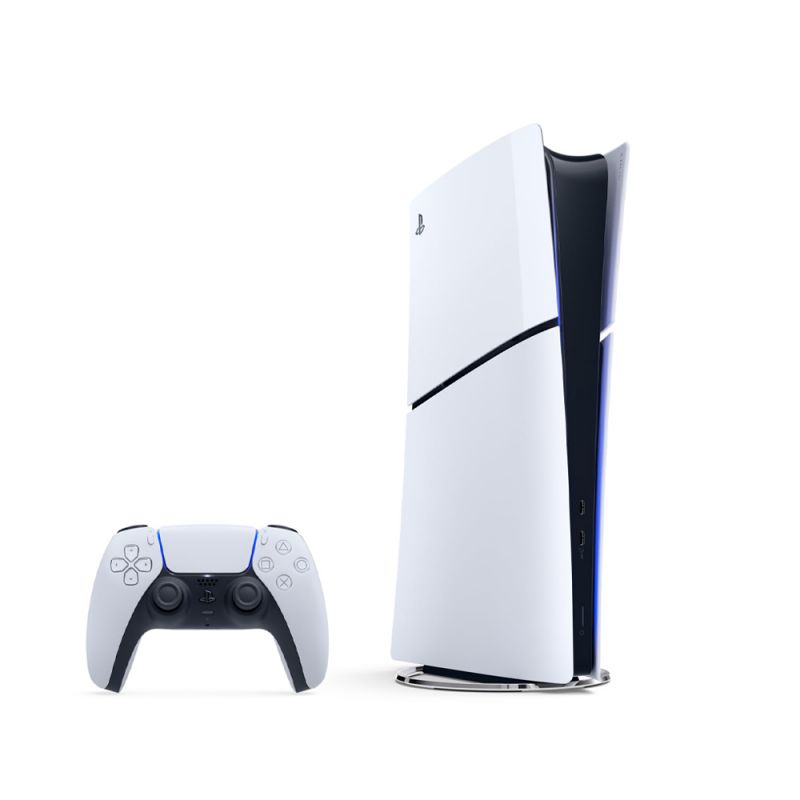
Sony PlayStation 5 (PS5) Standard Disc Edition - CN Version - Certified Pre-ownedSpecial Price $350.00 Regular Price $499.00
-30%
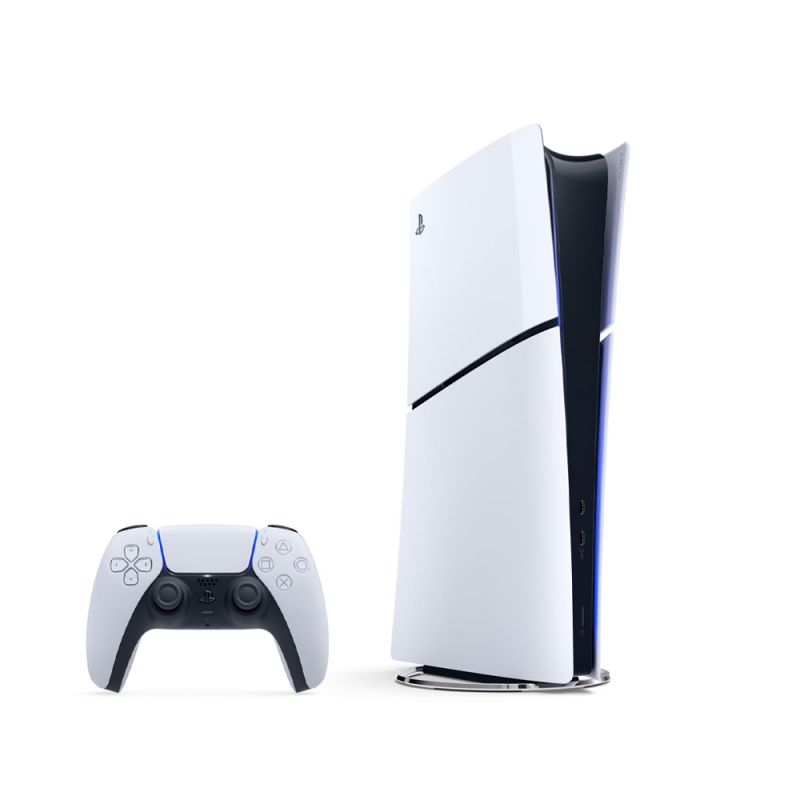
Sony PlayStation 5 (PS5) Standard Disc Edition - CN Version - Certified Pre-ownedSpecial Price $350.00 Regular Price $499.00 -
-20%
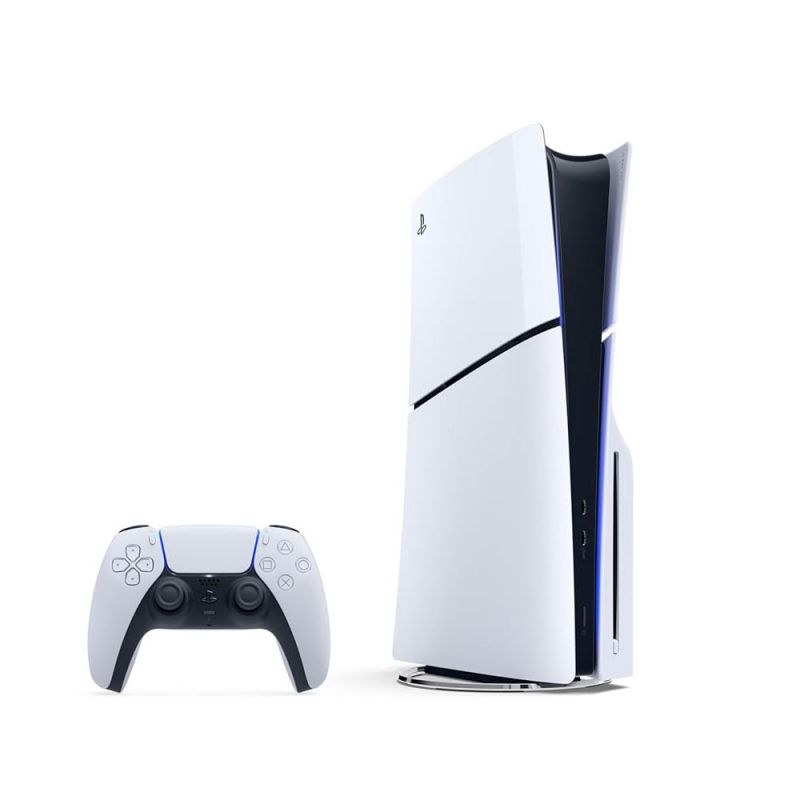
Sony PlayStation 5 (PS5) Standard Disc Edition - JP Version - Certified Pre-ownedSpecial Price $399.00 Regular Price $499.00
- ps4
- ps4 games
- ps4 games countries regions codes
- ps4 regions codes
- ps4 games codes
- ps4 regions codes explained
- ps4 game codes explained
- playstation 4 region codes