TDM Fast Review: The Fastest Free Download Manager for Windows in 2026
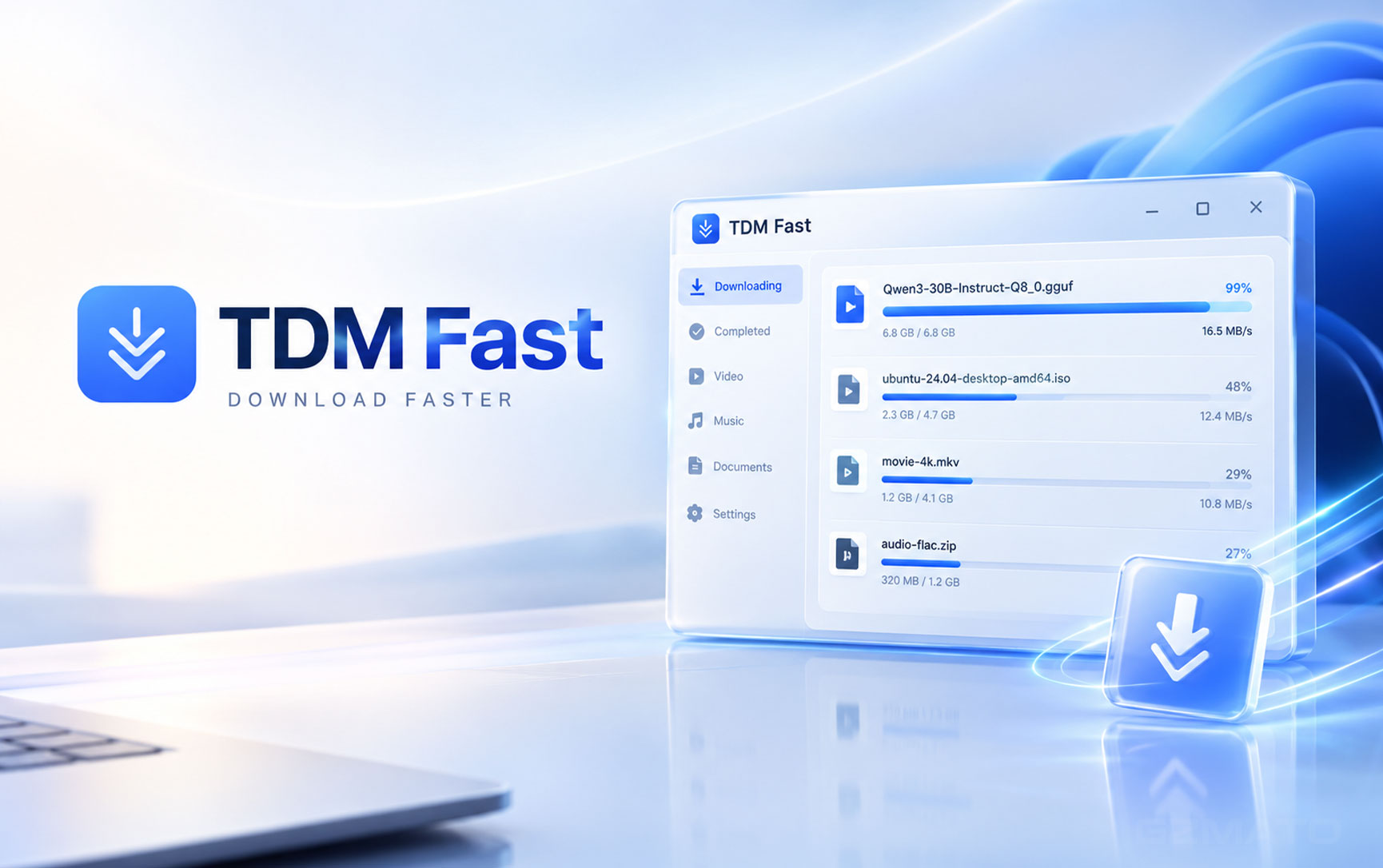
September 14, 2026 — If your downloads feel slow even on a fast internet connection, the bottleneck probably isn't your ISP. It's your download manager. Most browsers open a single connection per file, leaving the majority of your available bandwidth unused. TDM Fast fixes that — by splitting every file into up to 64 parallel segments and downloading all of them at the same time.
What Is TDM Fast and How Does It Work?
TDM Fast stands for Turbo Download Manager Fast. It's a Windows-only download accelerator built around one core idea: instead of downloading a file through a single connection from start to finish, it splits the file into multiple segments and downloads each segment simultaneously through its own dedicated thread.
When a server supports range requests (which most modern file hosts do), TDM Fast can pull data from multiple positions in the file at once. The result is that your download speed scales much closer to your actual connection limit — not the bottleneck of a single stream.
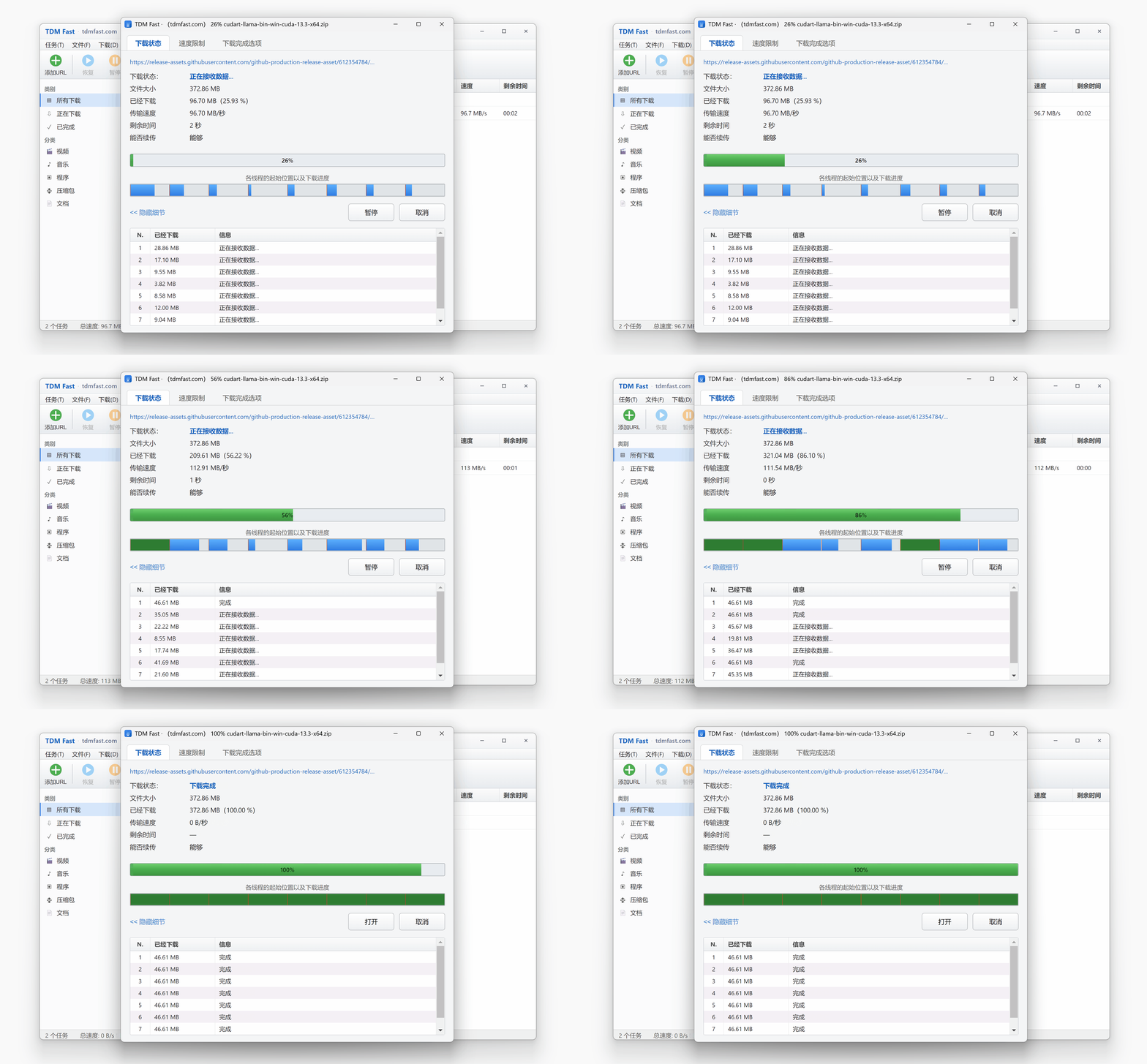
TDM Fast in action — multiple threads pulling different segments of a file at the same time, maximizing available bandwidth.
The interface shows exactly what's happening under the hood: each thread is shown as an individual progress segment, all running in parallel, with a combined live speed readout. For large files — think a 10 GB movie, a 30 GB game update, or a 100 GB AI model from HuggingFace — the difference between a single-thread download and a 32- or 64-thread download can be measured in hours.
Core Features
64-Thread Segmented Downloading
Splits every file into up to 64 segments, each downloaded by an independent thread. Slow threads get extra resources automatically. Saturates your bandwidth on any server that supports range requests.
Built-In Video Sniffing
Browser extension automatically detects videos on any page and shows a download button on hover. Works across 1,800+ sites. Powered by the built-in yt-dlp engine — no separate installation needed.
HuggingFace & AI Model Downloads
Specifically optimized for HuggingFace's CDN. Downloads GGUF, safetensors, and other large AI model files — even those with segmented signing restrictions — at full speed. Handles files hundreds of GB in size.
HLS / DASH Streaming Support
Auto-detects m3u8 and mpd streams, downloads all segments concurrently, and merges them into a clean MP4 using built-in ffmpeg. Works on encrypted streams too — if you can watch it, TDM Fast can download it.
Resume & Breakpoint Recovery
Downloads can be paused and resumed at any point. If your connection drops or you need to shut down, TDM Fast picks up exactly where it left off — no restarting from zero.
Queue & Batch Management
Add dozens of files to the download queue. Batch pause, resume, or delete. Files are auto-categorized into folders by type — videos, music, programs, archives — so your Downloads folder stays organized.
Zero Ads, Zero Bundleware
Completely free with no ads shown in the interface, no third-party software bundled in the installer, and no subscription required. yt-dlp is included out of the box.
Portable Version Available
Available as both a standard installer and a portable (no-install) version. The portable build runs from any folder or USB drive with no system changes required.
Supported Platforms
With its built-in yt-dlp engine and browser extension, TDM Fast supports video downloading from over 1,800 websites. The most commonly used platforms include:
For YouTube, TDM Fast parses the full page, automatically selects the highest available quality, and merges the separate video and audio tracks into a single MP4. You can also choose to download audio only.
How TDM Fast Makes Downloads Faster — Step by Step
Step 1: Probe & Segment
TDM Fast first asks the server for the file size and confirms it supports range requests. It then divides the file into up to 64 segments, assigning each segment to an independent thread with its own byte range.
Step 2: Parallel Download
All threads start downloading simultaneously from different positions in the file. If one thread is slower (due to server-side variance or congestion), TDM Fast dynamically reallocates resources to keep the total throughput as high as possible.
Step 3: Merge & Verify
Once all segments complete, TDM Fast reassembles them in order into the final file. For video streams (HLS/DASH), built-in ffmpeg merges the audio and video tracks into a standard MP4 automatically.
TDM Fast vs Browser Downloading — What's the Difference?
| Feature | Browser (Chrome/Edge) | TDM Fast |
|---|---|---|
| Download connections per file | 1 (single stream) | Up to 64 parallel threads |
| Resume after disconnection | Limited / often restarts | Yes — full breakpoint resume |
| Video downloading (YouTube etc.) | Not supported natively | Yes — 1,800+ sites via yt-dlp |
| HLS / DASH streaming download | Not supported | Yes — auto merge to MP4 |
| HuggingFace large model support | Slow / unreliable | Optimized, full-speed |
| Queue & batch management | Basic | Full queue, batch controls |
| Ads / bundleware | None | None |
| Price | Free | Free |
System Requirements & Download
- OS: Windows 10 or Windows 11 (64-bit)
- Versions: Standard installer + Portable (no-install) version
- Built-in: yt-dlp engine, ffmpeg for stream merging
- Browser extension: Available for Chrome and Edge for one-click video sniffing
- Price: Free — no subscription, no ads, no bundled software
- Download: tdmfast.com
Who Should Use TDM Fast?
Regular users who frequently download large files — software, games, archives, video files — will notice an immediate difference compared to downloading through a browser. The resume capability alone saves significant frustration on slow or interrupted connections.
AI and ML researchers downloading large model files from HuggingFace (GGUF, safetensors, bin files) will find TDM Fast's dedicated optimization for that platform especially valuable. Multi-GB and even 100+ GB model downloads that would take hours on a browser complete much faster.
Content creators and archivists who regularly save video content from YouTube, Bilibili, or other platforms get a clean, ad-free alternative to browser extensions, with the full quality selection and format merging that yt-dlp provides.
Portable users who work across multiple machines can use the portable version from a USB drive with no installation needed.
Power Up Your Windows Setup at Gzmato
Laptops | Desktops | Storage | Computer Accessories | In Stock Now
Special Offer: Use code TECH2026 for a discount on selected items!
Shop Laptops & Computers at GzmatoOur team can help you choose laptops, storage, and accessories based on your needs and budget. Chat with us or open a request.
Key Takeaways
| # | What You Need to Know About TDM Fast |
|---|---|
| 1 | Multi-thread downloading splits files into up to 64 parallel segments, making downloads significantly faster than single-connection browser downloads on supported servers. |
| 2 | Built-in yt-dlp supports video downloading from 1,800+ sites including YouTube, X, Bilibili, TikTok, Reddit, Vimeo, and Twitch — no separate tools needed. |
| 3 | HuggingFace is specifically optimized — TDM Fast is one of the best tools available for downloading large AI models (GGUF, safetensors) at full speed. |
| 4 | HLS and DASH streams (m3u8, mpd) are auto-detected, downloaded concurrently, and merged into MP4 using built-in ffmpeg. |
| 5 | Full resume support means interrupted downloads pick up exactly where they left off — no restarting from zero. |
| 6 | Completely free with no ads, no subscription, and no bundled software. Available as an installer or portable version. |
| 7 | Windows 10/11 only — no macOS or Linux support currently available. |
- TDM Fast Official Website — tdmfast.com (features, specifications, platform support, download)
- Built-in engine: yt-dlp (open source)
- Built-in: ffmpeg (open source)



- TDM Fast
- TDM Fast download
- free download manager Windows
- multi-thread download manager
- YouTube downloader Windows
- HuggingFace model downloader
- yt-dlp Windows
- fastest download manager 2026
- IDM alternative free
- tdmfast.com