iOS 26 Beta 4 Just Dropped: What's New and Why You'll Love It!
Hey there, tech enthusiasts and fellow shoppers! The excitement for iOS 26 is building, and this week, Apple just released iOS 26 beta 4 to developers. For those of us eager to see what our iPhones will be capable of this fall, this update brings some really neat refinements, visual tweaks, and smart improvements. While it's still a beta, these changes give us a great preview of the polished experience coming soon. Let's dive into what's new!
1. The "Liquid Glass" Look is Back (and Better)!
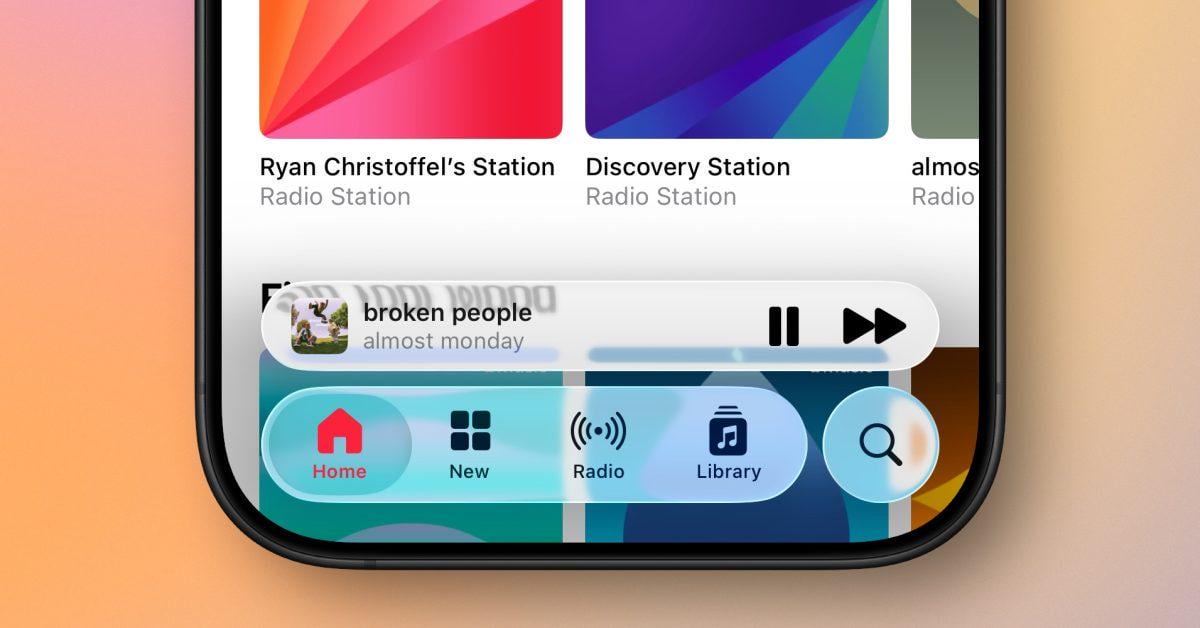
Remember the sleek, translucent look of iOS interfaces? After some feedback on earlier betas, Apple has brought back and even enhanced the "Liquid Glass" transparency in iOS 26 beta 4. You'll notice it in places like the App Store, Photos, and Apple Music navigation bars. This means more of your background content subtly shines through, making the interface feel more fluid and modern.
Why you'll love it: It's a gorgeous visual upgrade that makes your iPhone feel more dynamic and immersive. It's the kind of subtle design tweak that makes everything look a bit more premium and fun to interact with!
2. Smarter Notifications Are Here (with a Smart Touch from AI)
Good news for anyone overwhelmed by notifications! Apple has refined and re-enabled the Apple Intelligence notification summaries for news and entertainment apps. This feature, which was temporarily pulled, now comes with clearer labels, showing you that summaries are "Summarized by Apple Intelligence" in italics.
Why you'll love it: Imagine getting a quick, concise summary of a flurry of notifications instead of sifting through each one individually. It's a fantastic way to declutter your lock screen and stay informed without feeling overwhelmed. Apple's transparency about the AI generation also helps build trust.
3. Your Camera App Gets a Fresh Look & Welcome Screen
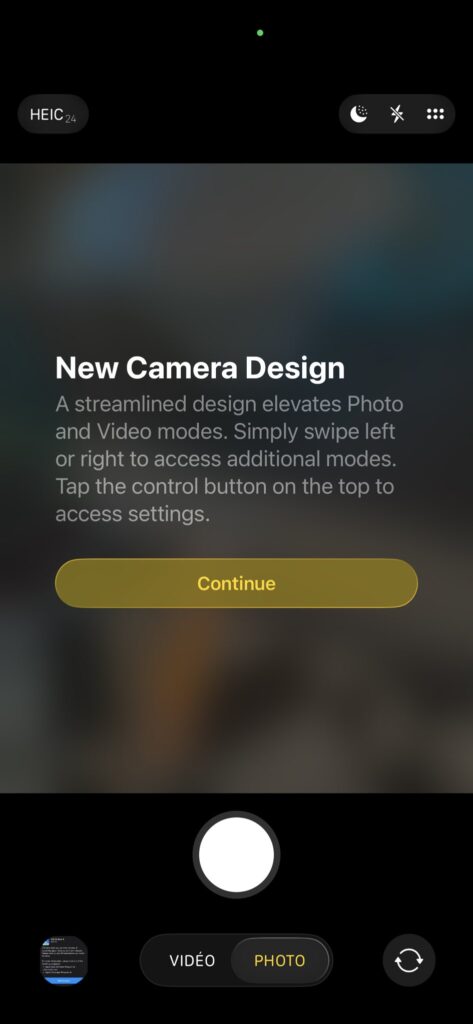
The Camera app isn't just about taking photos; it's about the experience. In beta 4, you'll spot a subtly tweaked Camera app icon – it's cleaner, resembling a wide-angle lens. Even better, when you open the Camera app for the very first time in iOS 26, you'll be greeted with an informative splash screen that highlights the new interface and features.
Why you'll love it: These are thoughtful user experience improvements. A refreshed icon keeps your home screen looking sharp, and the new welcome screen makes it super easy to discover any new camera functions, ensuring you're ready to snap amazing photos right away.
4. Taking Control of Your Calls
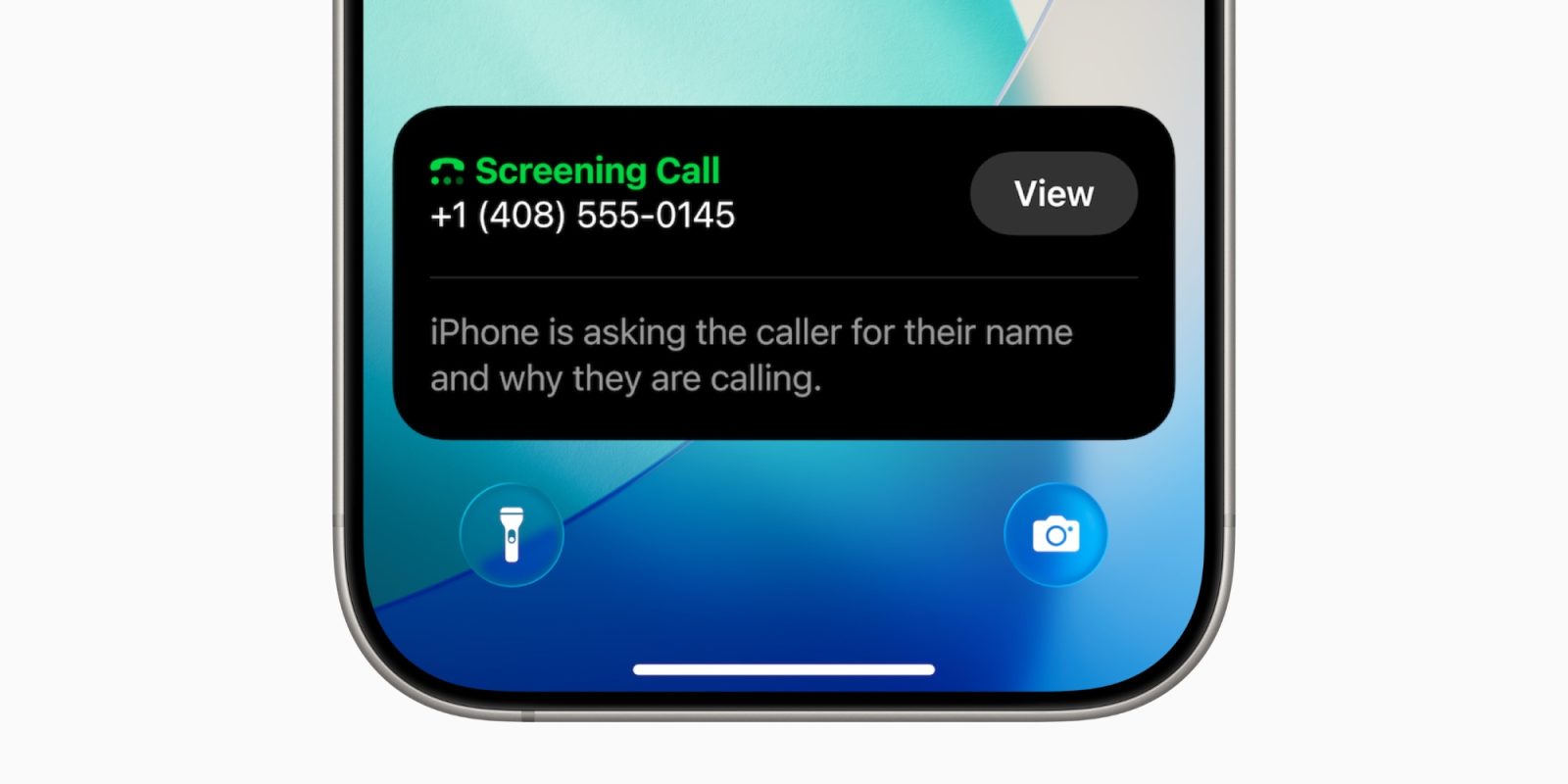
Tired of spam calls? iOS 26 beta 4 brings new settings to the Phone app for managing incoming calls, including options for silencing unknown callers and a new "Call Screening" feature.
Why you'll love it: This is a much-needed upgrade for peace of mind. More granular control over who can reach you means fewer interruptions from telemarketers and spammers, letting you focus on the calls that actually matter.
5. More Personalization: Dynamic Wallpapers & CarPlay Hues
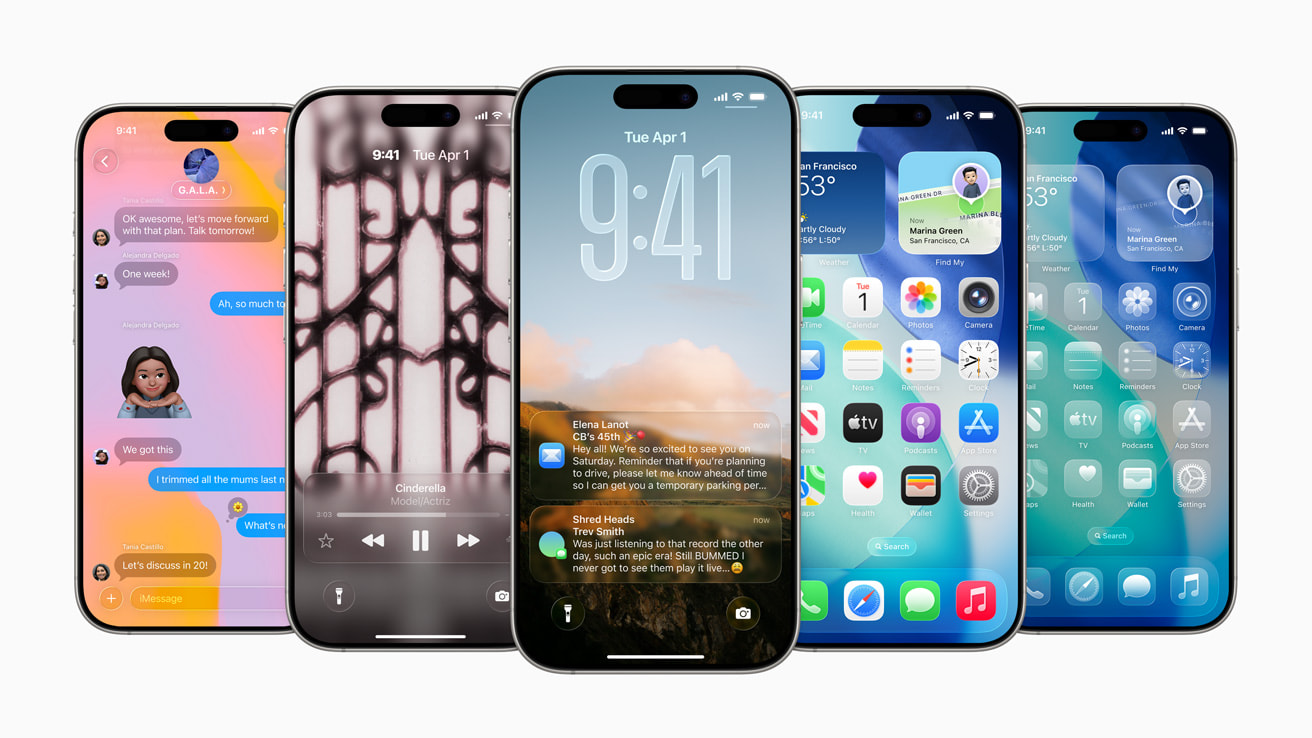
Apple continues to push personalization, especially with your device's look and feel. Beta 4 adds a new "Dynamic Color" option for Live Wallpapers, allowing your lock screen background to subtly adjust its hues based on certain conditions (like time of day or ambient light). CarPlay also gets a visual refresh with new iOS 26-style wallpaper color options.
Why you'll love it: Your iPhone's appearance can now feel even more alive and connected to your environment. It's all about making your device truly yours, from your pocket right into your car's dashboard.
Small Tweaks, Big Impact: Readability Gets a Boost
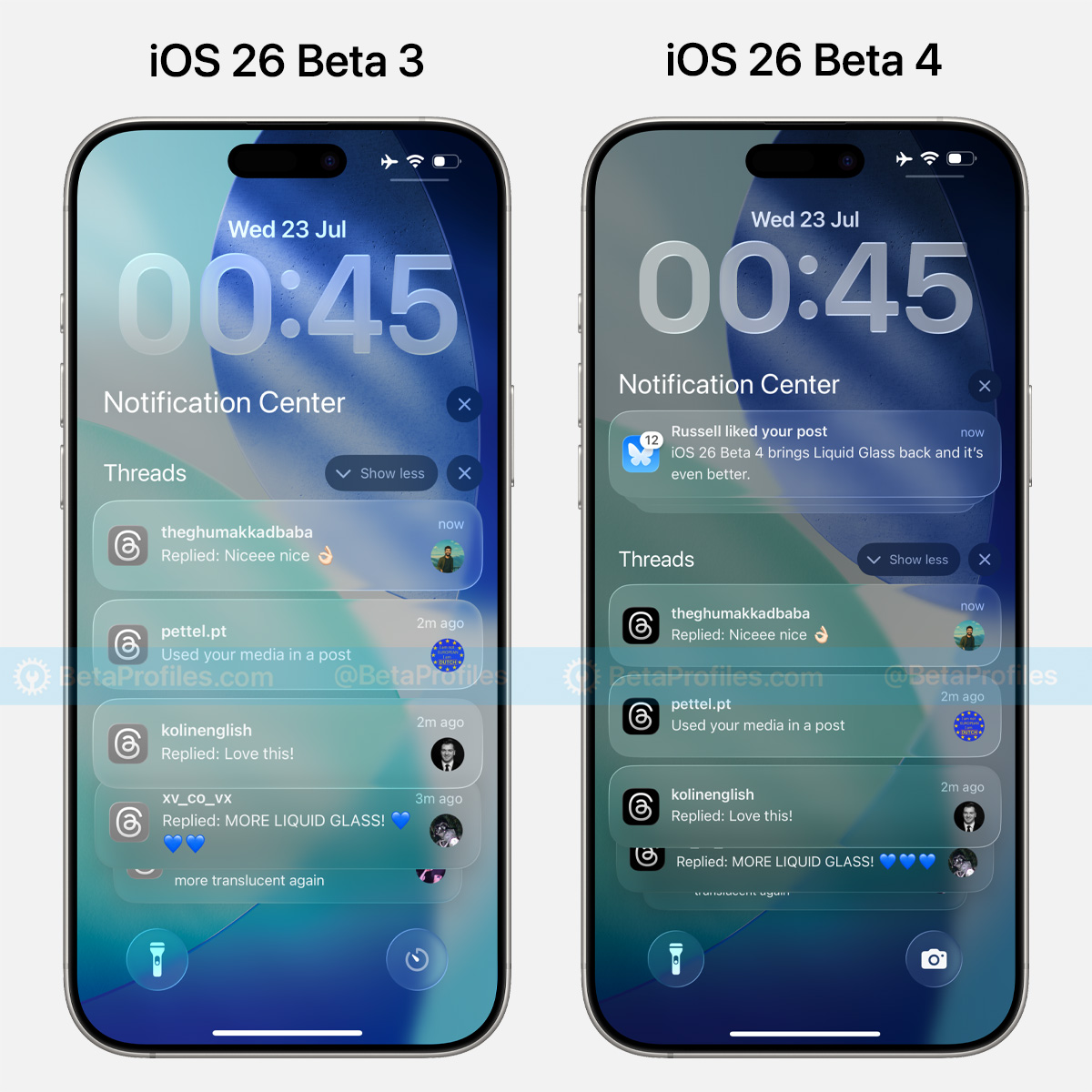
One neat little practical improvement in iOS 26 beta 4 is how it handles notifications on your lock screen. Now, when a notification pops up, your lock screen wallpaper will slightly dim.
Why you'll love it: This simple change significantly improves the readability of your notifications, especially against bright or busy wallpapers. It's a small detail that makes a big difference in daily usability.
Looking Ahead: The Polished Future of iOS 26
While iOS 26 beta 4 doesn't introduce massive, revolutionary features, it's a crucial step in refining the user experience. These updates show Apple's commitment to polishing the visual design, enhancing stability, and making key AI features like notification summaries truly work for you. It's all about getting ready for a smooth and smart experience when iOS 26 officially launches this fall!
Which of these iOS 26 beta 4 changes are you most excited to try out? Let us know in the comments!


- iOS 26 beta 4
- iOS 26 new features
- Liquid Glass
- Apple Intelligence notifications
- iPhone camera update
- iOS 26 changes
- Apple beta
- iOS 26