Apple TV+ vs. Netflix: Which One Do You Prefer?
Both Apple TV+ and Netflix are major players in the streaming market, but they have different approaches when it comes to content offerings, user interface (UI), design, and pricing. Here’s a breakdown of how they compare across these aspects:
1. Content Offering
Apple TV+:
- Original Content Focus: Apple TV+ is focused on original content. It offers a range of exclusive movies, series, and documentaries produced by Apple. Notable shows include Ted Lasso, The Morning Show, Foundation, and Severance. Apple TV+ is still in its early years, but it has received critical acclaim for many of its original shows, especially in genres like drama, sci-fi, and comedy.
- Smaller Catalog: Apple TV+ has a smaller content library compared to Netflix, but this means they can focus more on quality over quantity. The service does not offer licensed content (like movies and TV shows from other networks or studios), so it's mainly Apple’s exclusive original programming.
Netflix:
- Massive Content Library: Netflix boasts one of the largest and most diverse content libraries available, including movies, TV shows, documentaries, and anime from a variety of genres. It includes original productions like Stranger Things, The Witcher, Bridgerton, and The Crown, as well as a vast selection of licensed content (older TV shows and movies from various studios).
- Global Reach and Content: Netflix offers a wide range of content in multiple languages and regional variations. It also has a significant presence in different countries, producing region-specific shows (like Money Heist in Spain or Sacred Games in India).
Winner (Content):
- Netflix wins in content volume and diversity, with an extensive library of both original and licensed content.
- Apple TV+ is more focused on original, high-quality productions, but it has a smaller selection overall.
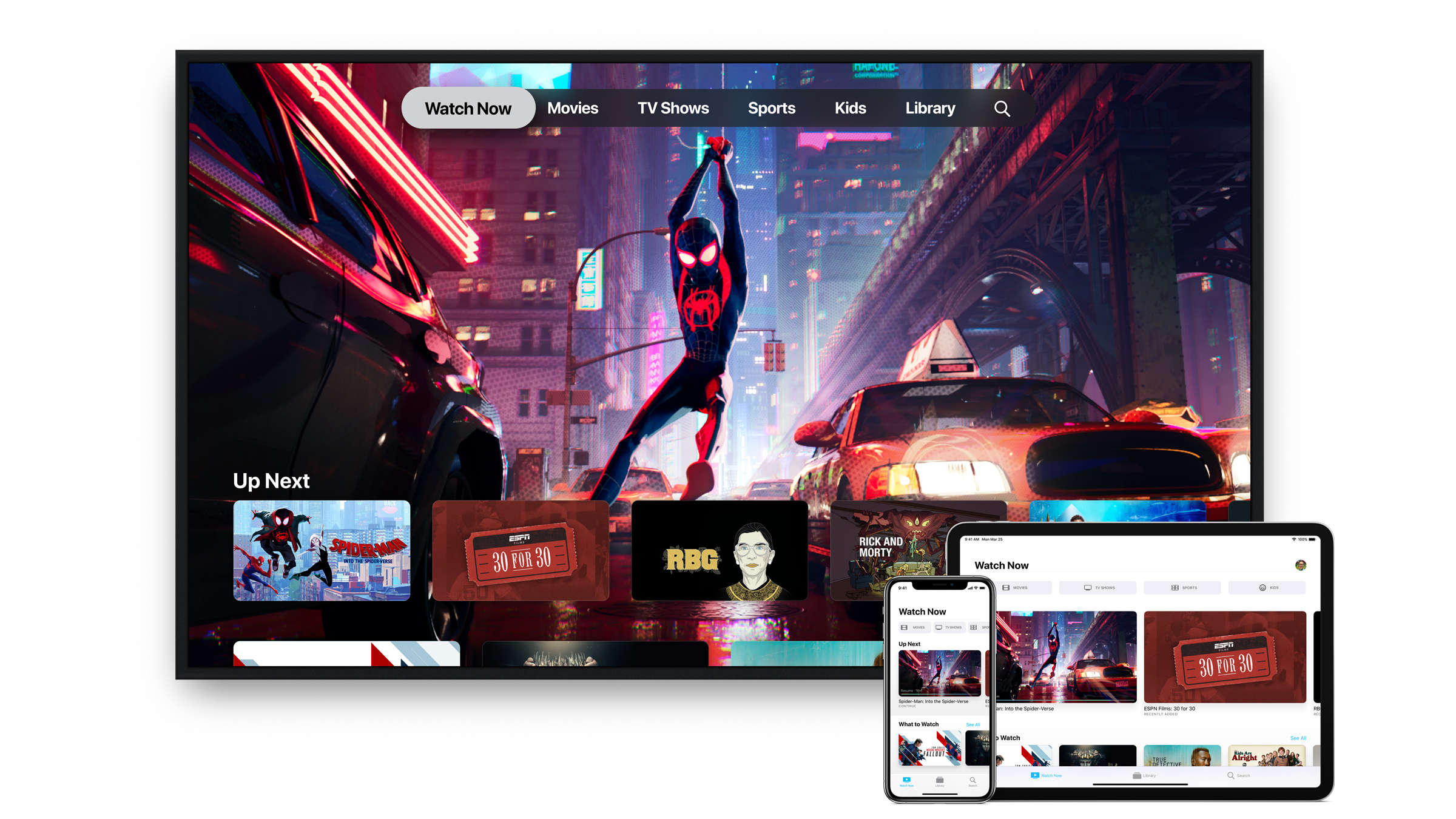
2. User Interface (UI) and Design
Apple TV+:
- Simplicity and Integration: Apple TV+ has a clean, minimalist design that fits in with Apple's overall aesthetic. It’s simple and easy to navigate, with large thumbnails for shows and movies, and a top-level menu with Categories like Originals, Trending, and Genres.
- Integration with Apple Ecosystem: Apple TV+ is tightly integrated into the broader Apple ecosystem. It works seamlessly across devices like iPhone, iPad, Mac, and Apple TV. On Apple devices, you can also use Siri to search for content, and Apple’s "Up Next" feature keeps track of what you're watching across all Apple services.
- Clean & Modern Design: The interface is sleek, with simple icons and smooth transitions. There’s an emphasis on large visuals, minimal text, and a streamlined experience.
Netflix:
- Rich Features and Customization: Netflix has a more feature-rich interface, which may feel a bit more complex due to the amount of content and features it offers. It uses large thumbnails and offers personalized recommendations based on your viewing history and ratings.
- User Profiles and Recommendations: Netflix has user profiles to separate viewing preferences within a single account. It also has a robust recommendation algorithm that continuously adapts to your tastes, showing you a tailored home page.
- Search and Categories: Netflix’s search functionality is good, with categories organized by genre, trending, new releases, etc. It also has subcategories (e.g., “Sci-Fi TV Shows”, “Critically Acclaimed Movies”), and interactive previews when you hover over content.
- Navigation: On devices like smart TVs, Netflix offers quick access to content but can sometimes feel cluttered due to the sheer number of choices and complex submenus.
Winner (UI/Design):
- Apple TV+ wins for a simpler, cleaner, and more modern design, particularly for users in the Apple ecosystem.
- Netflix offers more features, personalization, and complex navigation but can feel overwhelming at times, especially on larger screens like smart TVs.
3. Pricing and Plans
Apple TV+:
- Price: As of now, Apple TV+ offers a $9.99/month subscription. Apple also frequently runs promotions, such as giving 1-year free subscriptions with the purchase of eligible Apple devices (e.g., iPhones, Macs, and Apple TVs).
- Family Sharing: Apple TV+ is part of Apple’s Family Sharing system, meaning you can share the subscription with up to six family members without needing separate accounts. Apple also bundles it with other services in the Apple One subscription package (which includes Apple Music, iCloud storage, Apple Arcade, etc.).
Netflix:
Pricing: Netflix offers multiple tiers based on the number of screens you want to stream at once and the video quality:
- Basic: $6.99/month (1 screen, standard definition)
- Standard: $15.49/month (2 screens, HD)
- Premium: $19.99/month (4 screens, 4K HDR)
No Free Trial: Netflix no longer offers a free trial, which used to be a way for new users to explore content before committing. However, the pricing is tiered, so you can choose a lower-priced plan depending on your streaming needs.
Global Availability: Netflix pricing varies by region, but it typically offers content in all regions for similar subscription tiers.
Winner (Pricing):
- Apple TV+ is more affordable, especially with its $9.99/month rate and frequent promotional offers. If you’re already in the Apple ecosystem, it offers significant value, especially when bundled with other services via Apple One.
- Netflix offers more variety in pricing plans, but it can get expensive with the higher-tier plans, particularly for families or those who want 4K streaming.
Summary of Comparison:
| Feature | Apple TV+ | Netflix |
| User Interface | Focused on originals (smaller library) | Massive library of both originals and licensed content |
| Design | Simple, sleek, clean design, integrated with Apple ecosystem | Feature-rich, more complex with tailored recommendations |
| Design | Minimalist, elegant, streamlined UI | Rich in features but can be cluttered at times |
| Pricing | $9.99/month (affordable, with family sharing) | $6.99–$19.99/month (tiered pricing, higher cost for premium features) |
Final Thoughts:
- If you’re looking for affordable pricing and an emphasis on original content with a simple, seamless experience, Apple TV+ might be the better choice, especially if you're already embedded in the Apple ecosystem.
- If you want a vast library with both original and licensed content, a wider selection of genres, and more customizable viewing options (like streaming in 4K or on multiple screens), Netflix remains the dominant platform.
Both services have their strengths, so the decision largely depends on your content preferences, budget, and whether you're invested in Apple's ecosystem.


- Apple TV+
- Netflix
- Apple TV+ vs Netflix
- streaming services comparison
- Apple TV+ content
- Netflix content
- streaming UI design
- Netflix pricing
- Apple TV+ pricing
- Netflix subscription plans
- user interface
- streaming platforms
- Netflix features
- Apple TV+ review
- Netflix review
- streaming services 2024