Is the M4 MacBook Pro Your Next Powerhouse? A Guide for Our Clients
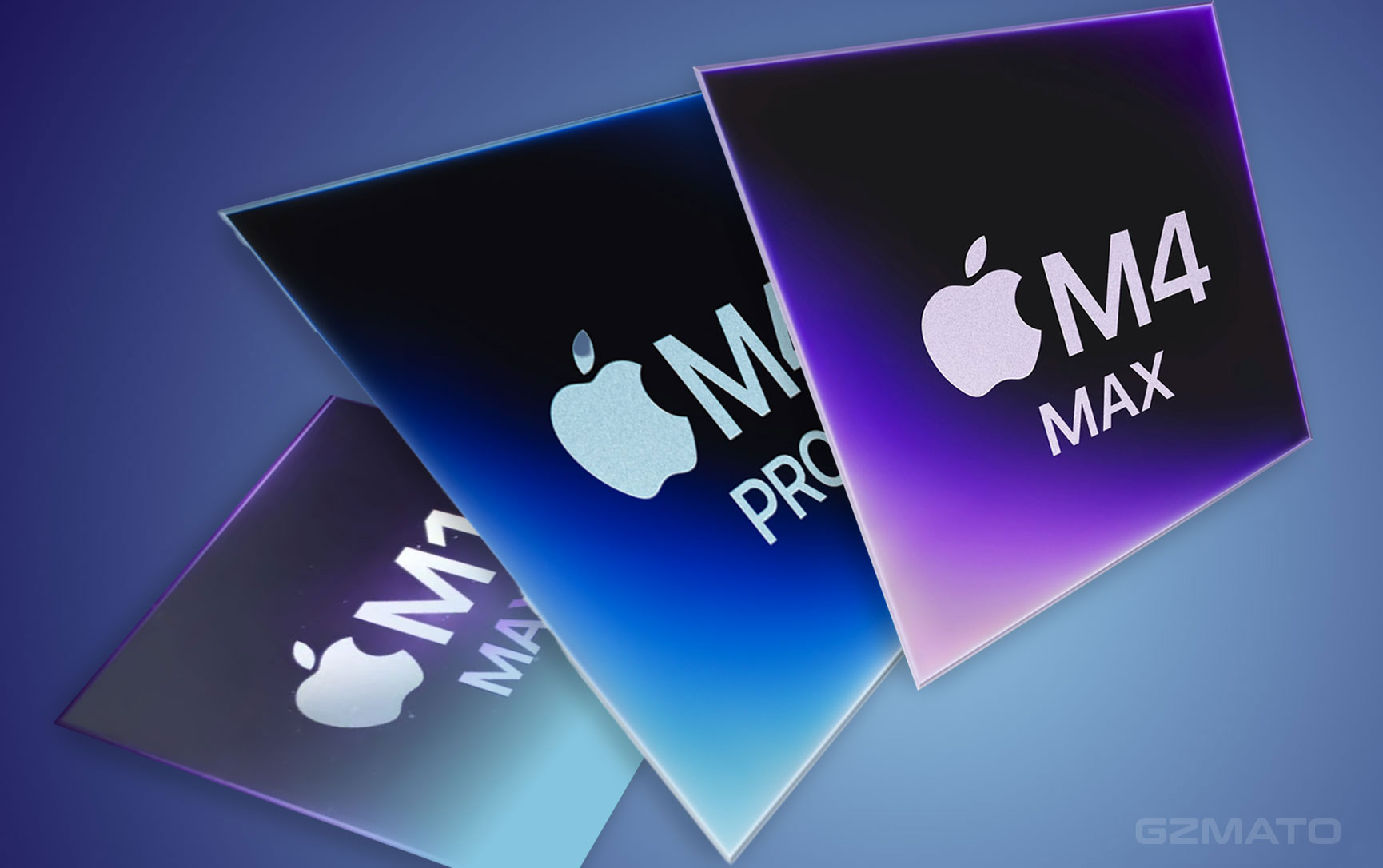
The tech world is always buzzing, and Apple's M-series chips continue to push the boundaries of performance and efficiency. With the M4 MacBook Pro now on the market, many of you – our valued clients – might be wondering: "Is this the right time for me to upgrade?"
It's a significant investment, and the answer isn't one-size-fits-all. Let's break down who stands to gain the most from an M4 MacBook Pro, and who might be better off holding onto their current machine.
Understanding the M4 MacBook Pro's Edge
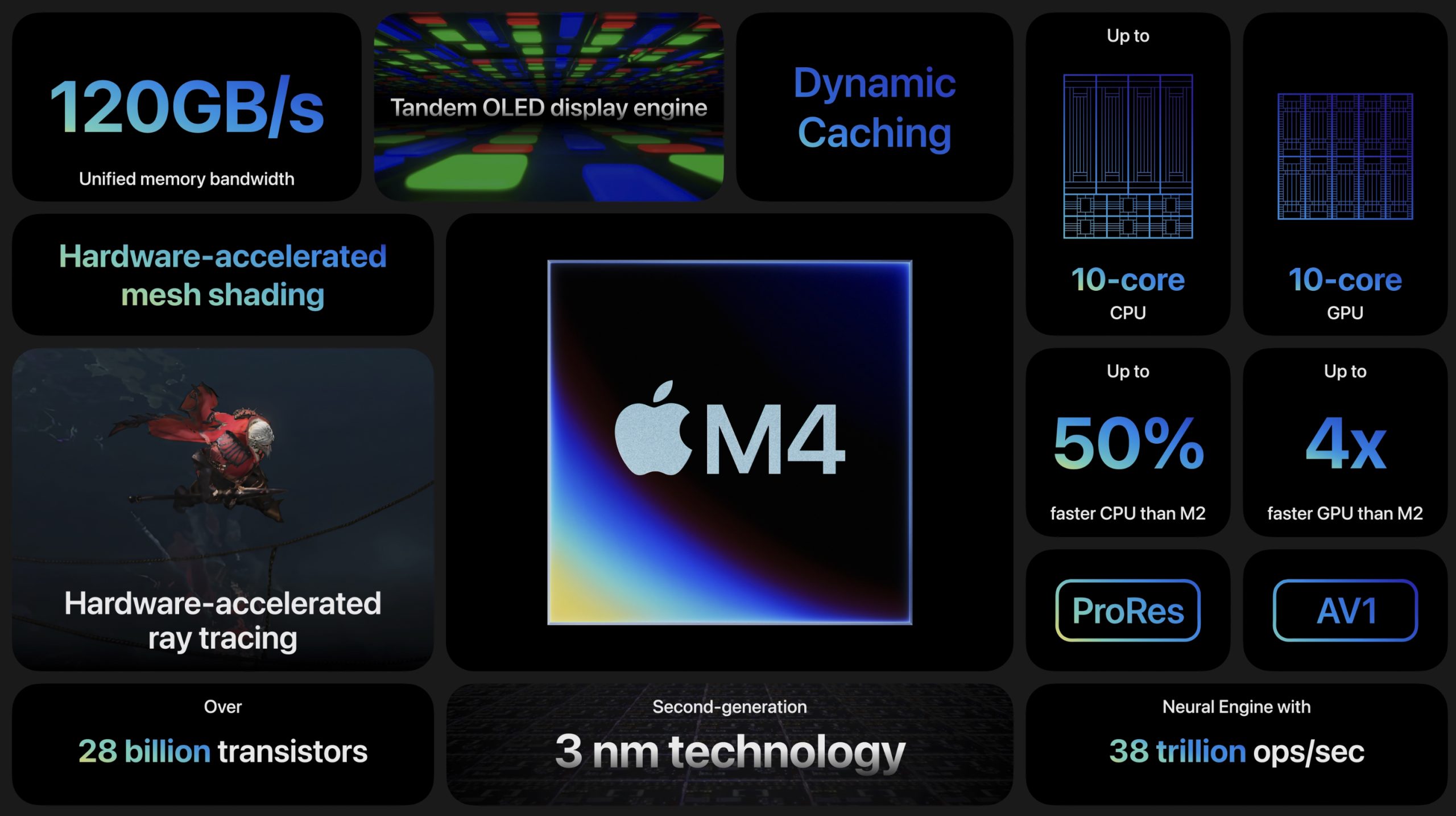
Before we dive into specific scenarios, let's quickly recap what makes the M4 MacBook Pro stand out:
- Raw Performance: The M4 chip delivers impressive gains in both CPU and GPU performance over its predecessors, especially the M1 and M2 generations. Its Neural Engine, crucial for AI and machine learning tasks, is remarkably faster. M4 Pro/Max models push this further with enhanced graphics, media engines, and memory bandwidth.
- Thunderbolt 5 (M4 Pro/Max Models): This is a significant upgrade for professionals, offering blazing-fast data transfer speeds (up to 120Gb/s) for external displays and storage.
- Enhanced Display: SDR content now shines brighter (up to 1000 nits), making for a more vibrant viewing experience, especially outdoors.
- Exceptional Efficiency: Even with the performance bump, the M4 continues Apple Silicon's legacy of incredible power efficiency, translating to longer battery life.
Who Should Seriously Consider Upgrading?
Let's look at the user profiles that will see the most impactful benefits:
1. The "Still Rocking Intel" Crowd
- Current Machine: Intel-based MacBook Pro (e.g., models from 2019, 2020, etc.)
- Why Upgrade? This is by far the most compelling upgrade scenario. The transition from Intel to Apple Silicon (M4) is a monumental leap. You will experience:
- Massive Performance Boost: Your daily tasks will feel lightning-fast, and professional applications will run orders of magnitude quicker.
- Unprecedented Battery Life: Say goodbye to constantly searching for an outlet.
- Superior Thermal Management: Your laptop will run cooler and quieter, with fans rarely spinning up.
- Optimized Software: Nearly all modern applications are now optimized for Apple Silicon, ensuring smoother performance.
- Verdict: A Definitive YES. This will be a night-and-day difference for your workflow and overall user experience.
2. The M1 / M1 Pro / M1 Max Power Users
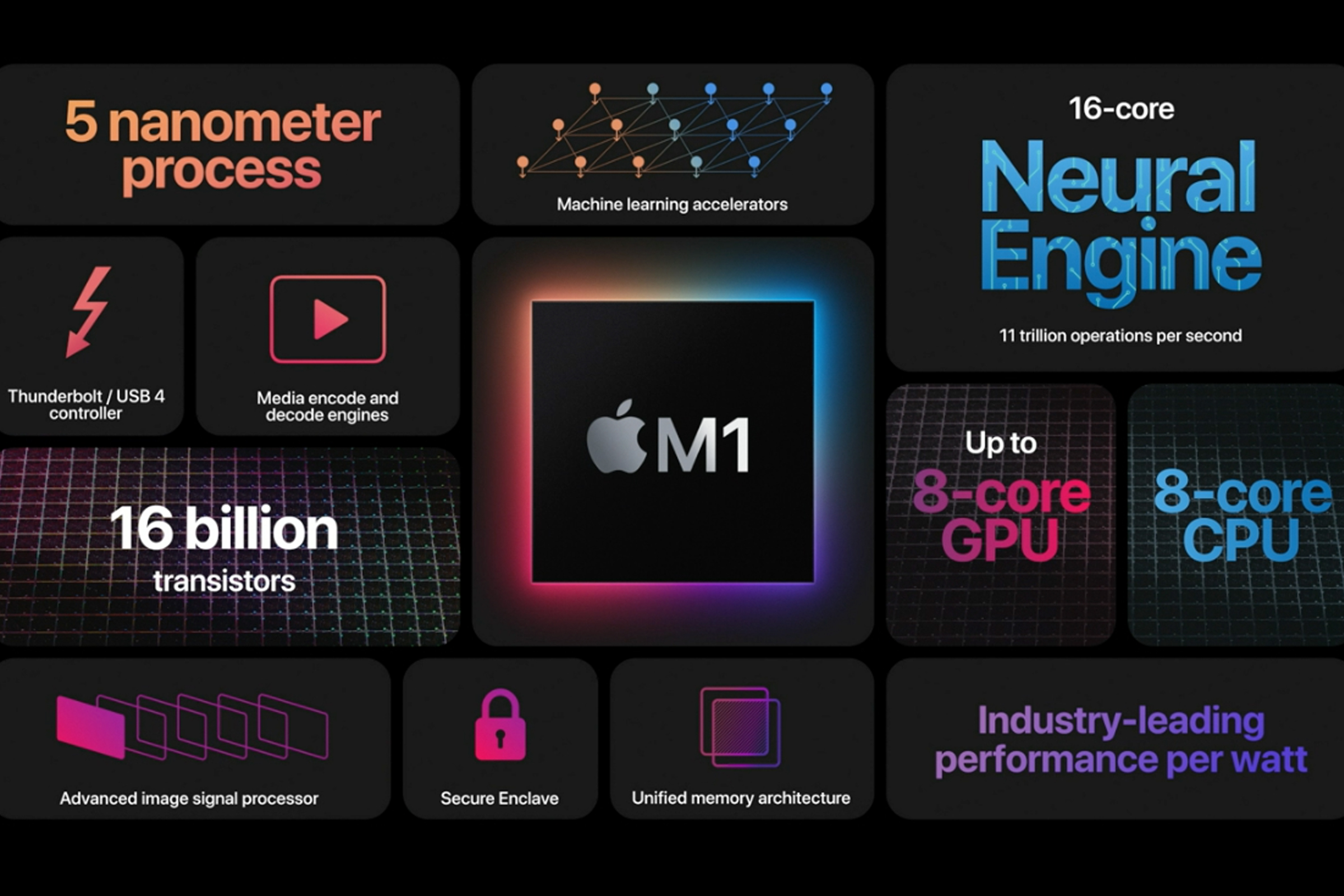
- Current Machine: M1, M1 Pro, or M1 Max MacBook Pro (e.g., 2020, 2021 models).
- Why Upgrade? If you're a professional pushing your M1 machine to its limits, the M4 offers a significant, though perhaps not "revolutionary" like the Intel jump, performance uplift.
- For Demanding Workflows: If you're frequently rendering 4K/8K video, compiling large codebases, running complex 3D models, or engaging in serious machine learning tasks, the M4 Pro/Max's beefier CPU cores, GPU, and dedicated media engines will noticeably speed up your work. The M4's Neural Engine is significantly faster than the M1's, beneficial for AI-driven tools.
- Memory Bottlenecks: If your M1 (especially with 16GB RAM) often feels sluggish when multitasking or handling large projects, upgrading to an M4 Pro/Max with 32GB or more unified memory will be a game-changer.
- Future-Proofing & Specific Features: The enhanced display brightness, improved webcam, and the cutting-edge Thunderbolt 5 ports (on Pro/Max models) might be crucial for your setup.
- Verdict: Potentially YES. If your M1 is starting to feel like a bottleneck in your professional, highly demanding workflow, and your budget allows, the M4 Pro/Max is a worthy consideration.
3. The M2 / M2 Pro / M2 Max Niche
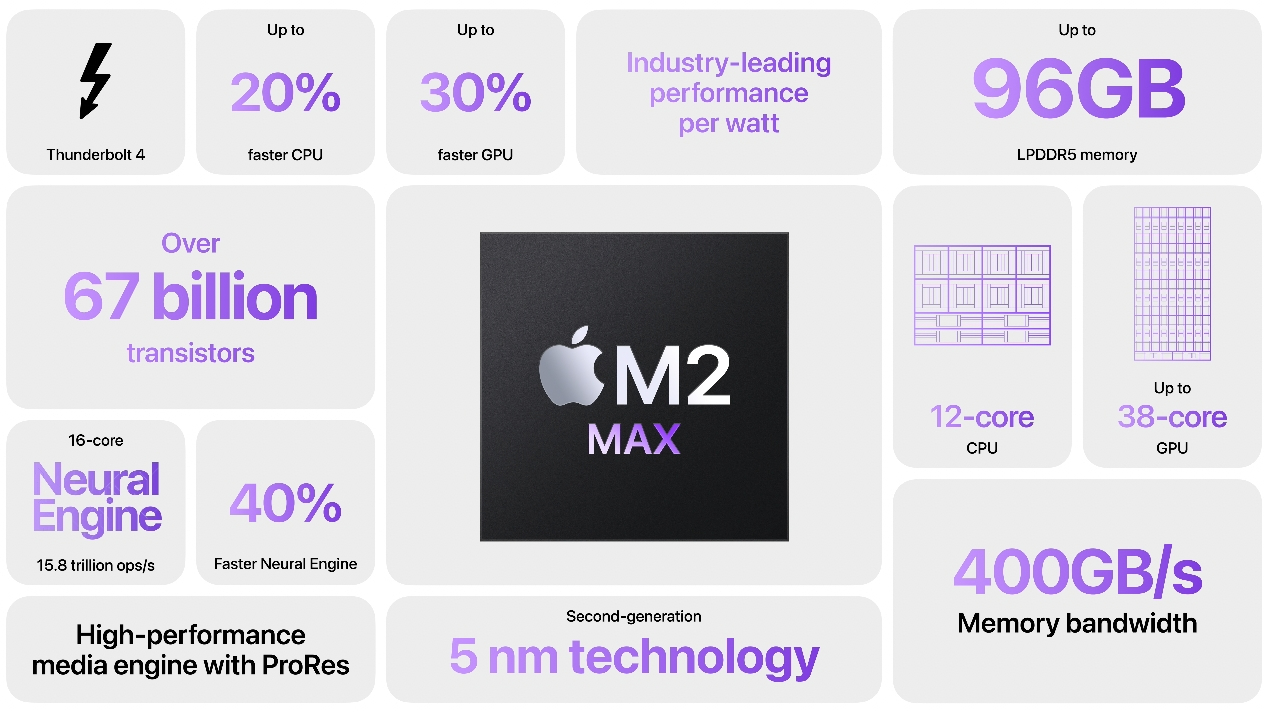
- Current Machine: M2, M2 Pro, or M2 Max MacBook Pro (e.g., 2022, 2023 models).
- Why Upgrade? This is a more nuanced decision, as the M2 series is still incredibly powerful.
- Extreme Performance Needs: Only the most demanding professionals – those whose M2 Pro/Max machines are genuinely struggling with specific, incredibly intensive tasks (e.g., bleeding-edge AI development, real-time 8K video manipulation for broadcast) – will see a substantial enough benefit to justify the cost.
- Thunderbolt 5 Requirement: If your professional setup requires the increased bandwidth of Thunderbolt 5 for external displays, eGPUs (though Apple Silicon doesn't officially support them in the same way), or super-fast external storage, then the M4 Pro/Max models become essential.
- Verdict: Only in Specific, Extreme Cases. For most M2 users, the performance jump won't be significant enough to warrant the investment.
Who Can Likely Skip This Upgrade?
1. The M3 / M3 Pro / M3 Max Owners
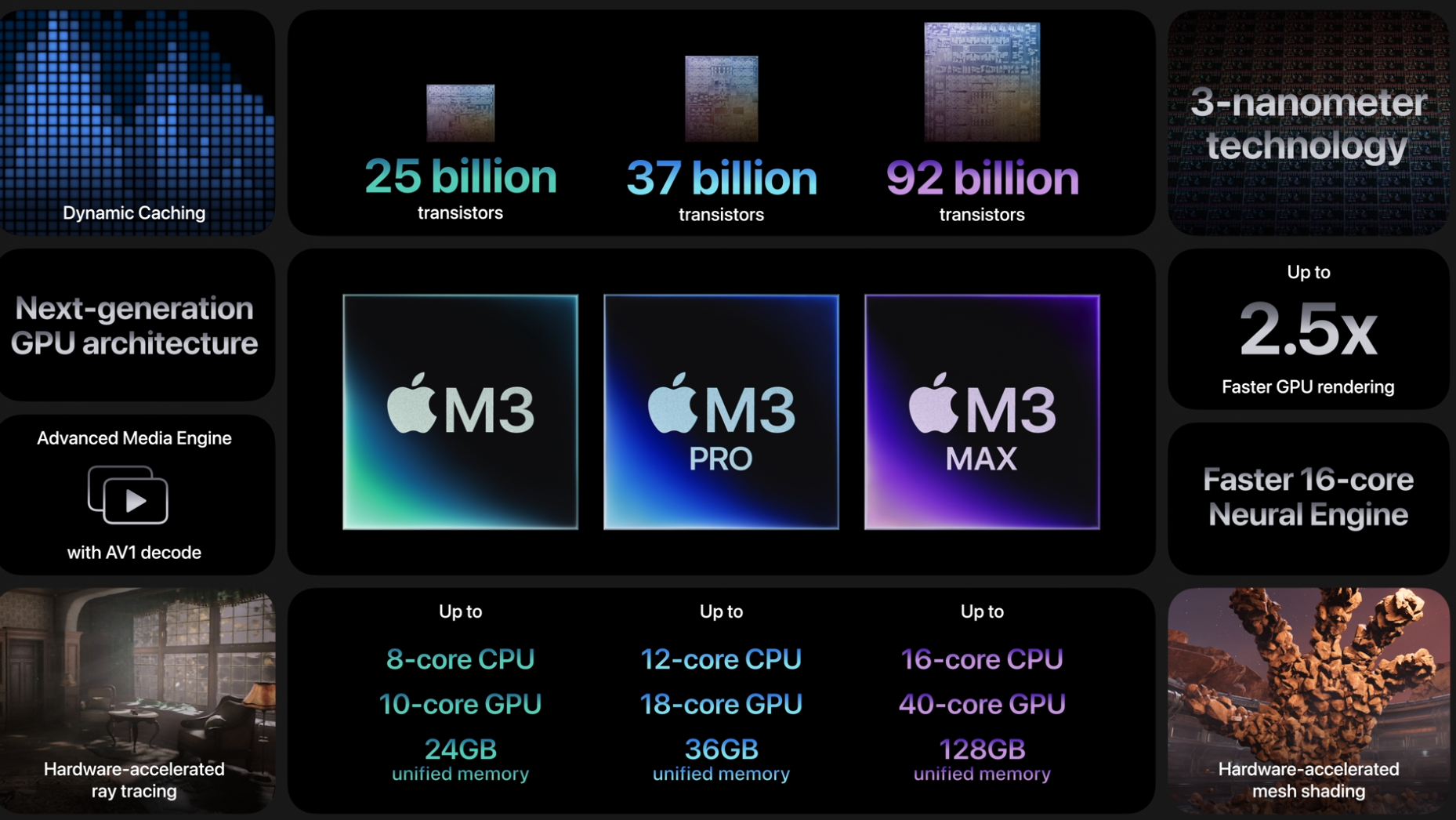
- Current Machine: M3, M3 Pro, or M3 Max MacBook Pro (e.g., late 2023 models).
- Why Hold Off? The M3 series is very recent and incredibly capable. The performance gains from M3 to M4, while present, are typically incremental rather than revolutionary. For most users, the M3 (especially the Pro and Max variants) already offers more than enough power for current professional demands.
- Verdict: Almost Certainly NO. The cost-benefit ratio isn't there for an M3 to M4 upgrade, unless you have an extremely niche and demanding AI/ML workload that specifically benefits from the M4's neural engine improvements.
2. The Casual / General Use MacBook Pro Owners
- Current Machine: Any M-series MacBook Pro (M1, M2, M3).
- Why Hold Off? If your primary uses include web Browse, email, word processing, streaming media, light photo editing, or general office tasks, any M-series MacBook Pro you currently own is already overkill. The M4 MacBook Pro's advanced performance is simply not necessary for these activities.
- Verdict: NO. Save your money. Your current machine is more than capable.
Final Thoughts: Assess Your Needs, Not Just the Hype
The M4 MacBook Pro is an astonishing piece of technology. However, for many users, their current Apple Silicon Mac is already more than capable of handling their daily demands.
Before you click "buy," we encourage you to:
- Evaluate Your Current Workflow: Are you frequently hitting performance bottlenecks? Is your current Mac slowing down specific, critical tasks?
- Identify Your Needs: Do you genuinely need the absolute bleeding-edge performance, the faster ports, or the brighter display for your professional work? Or is it more of a "nice to have"?
- Consider Your Budget: The M4 MacBook Pro is a premium device. Ensure the return on investment aligns with your professional goals.
If you're still unsure, or if you'd like a personalized consultation to discuss your specific needs and whether an M4 MacBook Pro makes sense for your business, don't hesitate to reach out to our team. We're here to help you make the best technology choices for your success.

-

-
-10%
Apple - MacBook Pro 14" Laptop - M3 Pro chipAs low as $2,105.48 Regular Price $2,331.25
-
-4%
Apple - MacBook Pro 16" Laptop - M3 Pro ChipAs low as $2,619.85 Regular Price $2,736.62
-
-
-4%
MacBook Pro 14-inch 512GB SSD - Apple M4 chip 10-Core CPU - 10-Core GPU - 16GB Memory - Built for Apple IntellegenceAs low as $1,759.00 Regular Price $1,826.95
-
-4%
MacBook Pro 14-inch 1TB SSD - Apple M4 chip 10-Core CPU - 10-Core GPU - Built for Apple IntellegenceAs low as $1,950.08 Regular Price $2,035.63
-
-4%
MacBook Pro 14-inch 512GB SSD - Apple M4 Pro chip 12-Core CPU - 16-Core GPU - 24GB Memory - Built for Apple IntellegenceAs low as $2,291.03 Regular Price $2,386.67
-
-4%
MacBook Pro 14-inch 1TB SSD - Apple M4 Pro chip 14-Core CPU - 20-Core GPU - 24GB Memory - Built for Apple IntellegenceAs low as $2,700.17 Regular Price $2,808.64
-
-4%
MacBook Pro 14-inch 1TB SSD - Apple M4 Max chip 14-Core CPU - 32-Core GPU - 36GB Memory - Built for Apple IntellegenceAs low as $3,654.82 Regular Price $3,790.71















- M4 MacBook Pro
- MacBook Pro upgrade
- M4 vs M3
- M4 vs M2
- M4 vs M1
- Intel MacBook Pro
- Apple Silicon
- professional laptop
- creative professionals
- tech upgrade advice
- worth upgrading
- MacBook Pro review