
How to
How to Transfer Data from Old iPhone to iPhone 17 (2025 Guide)
on
December 28, 2025
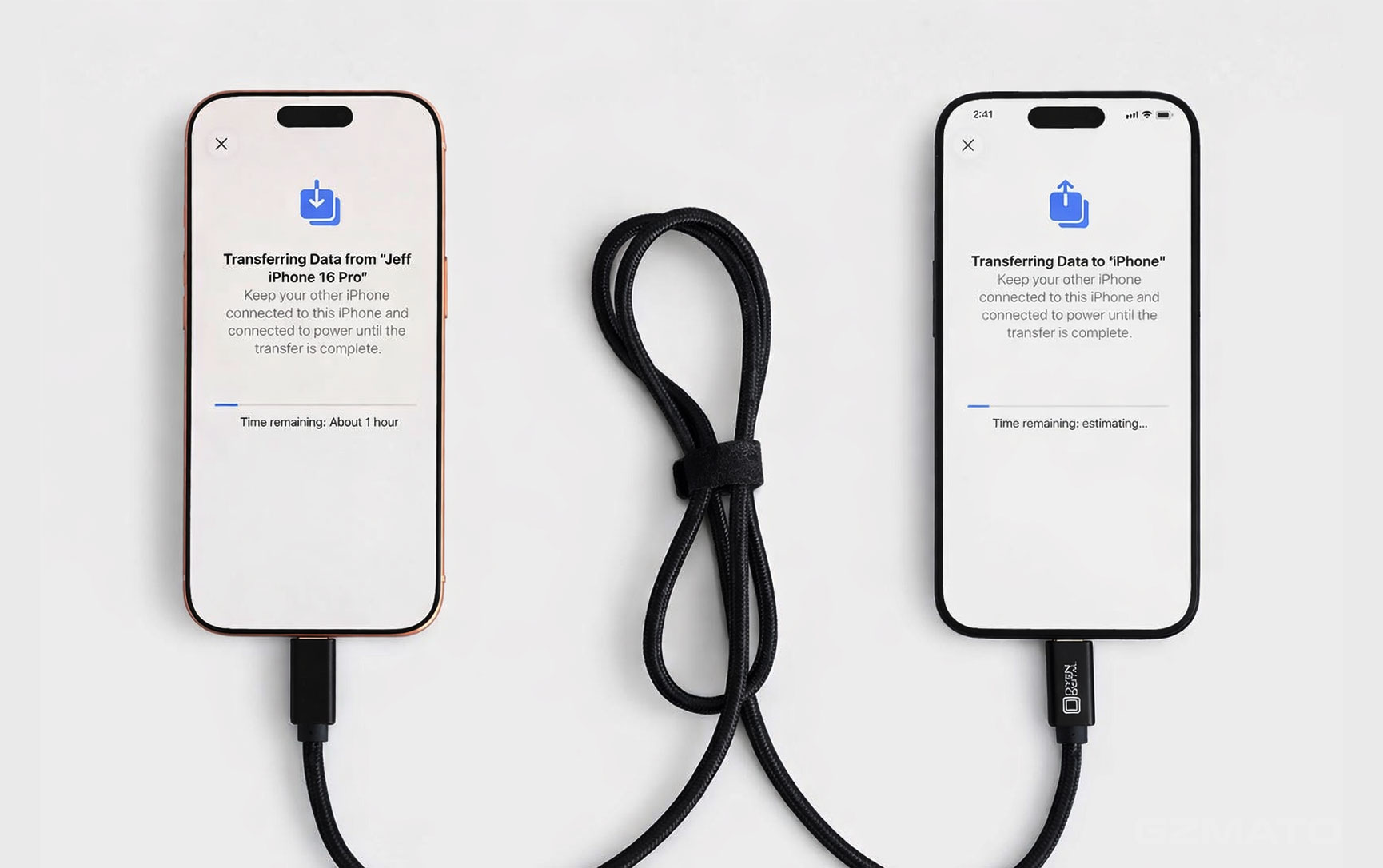
Table of Contents
Expand
December 27, 2025 – Upgrading to iPhone 17 series? Transferring data from your old iPhone is easier than ever in iOS 19. This guide covers the three official methods: Quick Start (wireless direct), iCloud, and computer backup – all 100% safe and complete.
Preparation (All Methods)
- Update old iPhone to latest iOS 19
- Charge both phones >50%
- Strong Wi-Fi connection
- Enough iCloud storage (or use computer method)
- Turn off Low Power Mode
Method 1: Quick Start – Wireless Direct Transfer (Recommended & Fastest)
Place old and new iPhone close together – data transfers directly via Bluetooth/Wi-Fi.
- Turn on new iPhone 17 → choose language/region → "Quick Start" screen appears
- Bring old iPhone close → animation circle shows on new phone
- Scan animation with old iPhone camera
- Enter old iPhone passcode on new phone
- Follow prompts: Face ID setup, Apple ID login
- Choose "Transfer from iPhone" → process starts (30min-2h depending on data)
Quick Start is fastest & most complete – includes everything (apps, settings, passwords).
Method 2: iCloud Backup & Restore
Wireless, no cables – ideal if phones not nearby.
- On old iPhone: Settings → [Your Name] → iCloud → iCloud Backup → Back Up Now
- Wait for backup complete (check date/time)
- On new iPhone 17: Setup → "Restore from iCloud Backup" → sign in → choose latest backup
- Keep connected to Wi-Fi until complete
Method 3: Mac/PC Backup & Restore (Encrypted & Complete)
Best for large data or no iCloud space.
- Connect old iPhone to Mac (Finder) or PC (Apple Devices app)
- Select device → "Back Up Now" (check "Encrypt local backup" for passwords/health data)
- Connect new iPhone 17 → "Restore from Mac/PC Backup" → select backup
Common Issues & Fixes
- Quick Start stuck → restart both phones, ensure Bluetooth/Wi-Fi on
- Not enough iCloud space → buy temporary storage or use computer method
- Transfer slow → stay close, plug in power
Protect Your New iPhone 17 at Gzmato
Premium Protection for iPhone 17 at Gzmato
HODA sapphire glass, MagSafe cases, fast chargers – genuine stock
HODA sapphire glass, MagSafe cases, fast chargers – genuine stock
Exclusive Offer: Use code GZMIPHONE17 for 10% off accessories!
Shop iPhone Accessories →Data Sources & Methodology (as of Dec 27, 2025):
- Apple official support guides
- iOS 19 user experience
- Gzmato customer transfer feedback

Comment(s)
People Also Searched For
- how to transfer data old iphone to iphone 17
- iphone 17 quick start setup
- icloud backup restore iphone 17
- move to ios 2025 guide
Recent Posts

October 17, 2026

October 15, 2026



Popular Posts


July 14, 2026

December 07, 2025



